This post is based on the youtube video I uploaded:
🔗 Related links
🔧 Source code (GitHub): https://github.com/ivmos/SilenceRemover (one of the available repos)
🌐 Try it online
https://silenceslicer.com/ (Jerry Li’s hosted app)
https://silence-remove.vercel.app (vercel deployment example)
Removing Silences from Videos with a Free Open-Source Tool (Local + Vercel Deployment)
Hi friends 👋
In this post, I want to show you the free, open-source tool I currently use to remove silences from my videos. We’ll walk through how it works locally, explore its UI and internals, and finally deploy it to Vercel so you can run it as a hosted solution.
If you create YouTube videos, podcasts, or tutorials, this tool can save you a lot of editing time.
Running the Project Locally
I’m starting directly from the repository. This is a Node.js project, and running it locally is straightforward:
yarn run dev
Once executed, the app runs on a local port and spins up a development server. The local UI is slightly different from the currently hosted version, which makes it ideal for experimentation and debugging.
Analyzing a Video (Silence Detection)
After the app is running, you can simply drag and drop a video file into the interface. I tested it with my previous video about Moises.ai, and the analysis was surprisingly fast.
To better understand what’s happening behind the scenes, I opened the developer tools. You can clearly see FFmpeg being loaded and network activity kicking in while the analysis runs.
Tweaking Detection Parameters
One of the best things about this tool is how configurable it is:
- Mean volume – controls how quiet a segment must be to count as silence
- Minimum silence duration – adjusts how long silence must last to be removed
After tweaking these values and clicking Analyze again, you’ll notice different results. Once finished, the app tells you the new duration of the video after silence removal.
Exporting the Result
When you’re happy with the analysis, you can:
- Export the processed video
- Export the timeline (useful for further editing)
At this point, everything is handled locally through FFmpeg, without uploading your video anywhere — a big plus for privacy.
Working with the Timeline UI
The UI is honestly one of the highlights of this project.
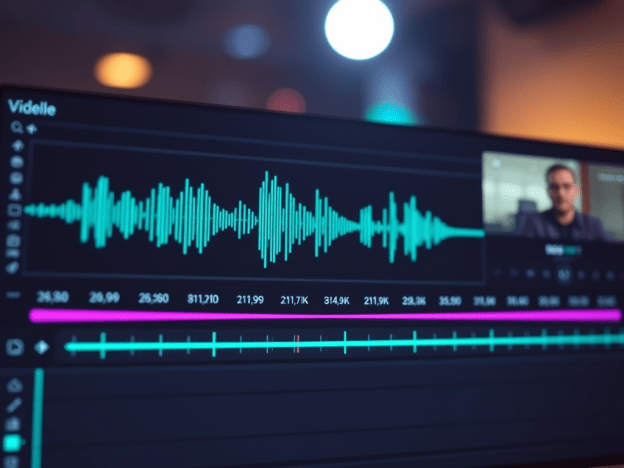
You get a visual timeline where silence regions are clearly marked. From here you can:
- Add zones manually
Click Zone Add and select the part you want to include or modify. - Remove zones manually
Click Zone Delete and simply select the sound you want to remove.
You can immediately play back the result to verify that everything works as expected — and it does, really well.
Deploying to Vercel
Next, I wanted a hosted version, so I deployed the project to Vercel.
Steps:
- Go to your Vercel dashboard
- Click Import Project
- Vercel detects it as a Node.js project automatically
- Deploy with default settings
At first, I ran into a deployment error. After copying the error message into ChatGPT and applying a small fix, the deployment worked perfectly.
Once deployed, the app behaves exactly the same as the local version — but now it’s available online under my own Vercel URL.
Quick Look at the Codebase
Since we had some extra time, I explored the code to understand how silence removal actually works.
Tech Stack Overview
- Node.js
- UI built with a React-like framework
- FFmpeg running in the browser
- WaveSurfer.js for waveform visualization
Key Components
VideoEditorcomponentTimeline/ waveform component- Silence detection logic in the video renderer
How Silence Detection Works
The core logic happens in a helper responsible for silence analysis:
- It uses WaveSurfer.js with the Regions plugin
- Regions are automatically extracted based on silence
- The
analyzeRegionshelper:- Extracts regions
- Filters them by silence thresholds
- Produces the final list of segments to keep
FFmpeg is then called with the correct parameters to stitch together only the non-silent parts.
Simple, elegant, and very effective.
Final Thoughts
This tool is a great example of how powerful open-source projects can be when combined with modern web tech. It’s fast, private, configurable, and easy to deploy.
If you edit videos regularly, I highly recommend checking it out and even self-hosting it like I did.
See you in the next video 👋
 ivanmosquera.net